How To Add a Watch-Only Vendor/User for 4Bids (Beginner Guide)
Use this guide to set up a user who can watch bidding live, but cannot place bids, such as a Property Vendor.
What this does
By the end of these steps, the user will:
- have an account on your website
- be marked as a Watcher in their profile
- be verified for a specific 4Bids property
- be able to open the property page and watch bidding in real-time (read-only)
Before you start
Make sure:
- the property is already set up and open for bidding in 4Bids
- you have admin access to WordPress
- the user knows their login email/password
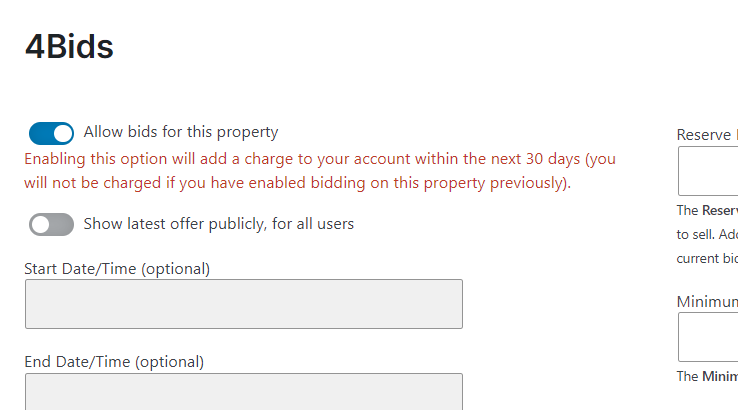
Step 1: User registers on your website
- Ask the user to register on the website using your normal registration form.
- After registration, confirm the user appears in WordPress Users.
- The user will usually be created with the default role: Author.
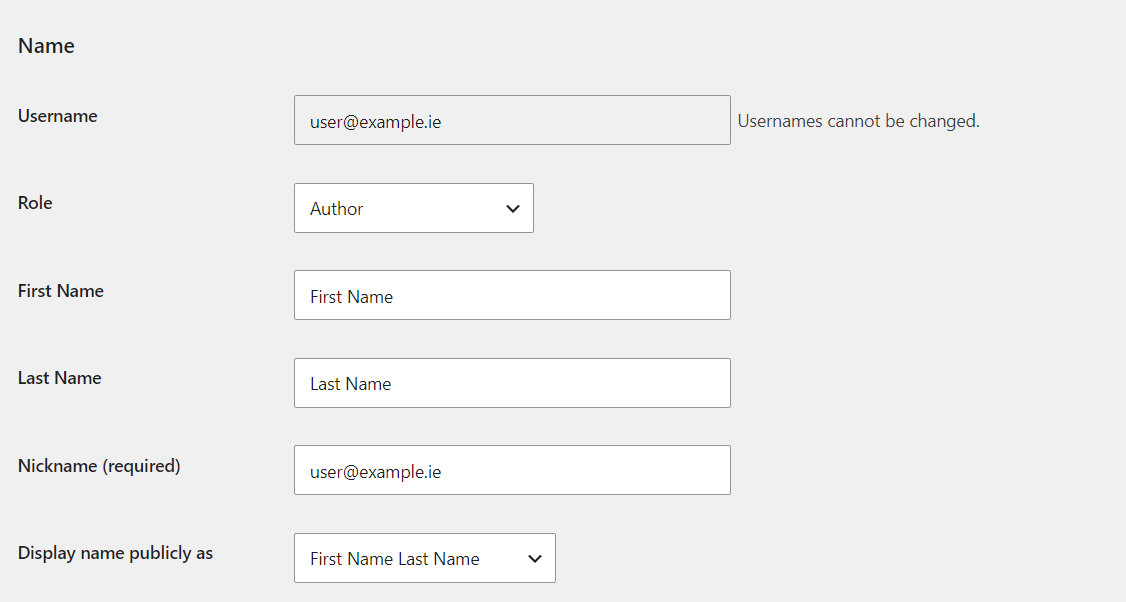
Step 2: Change user to Watcher
- In WordPress admin, go to Users.
- Click Edit under that user.
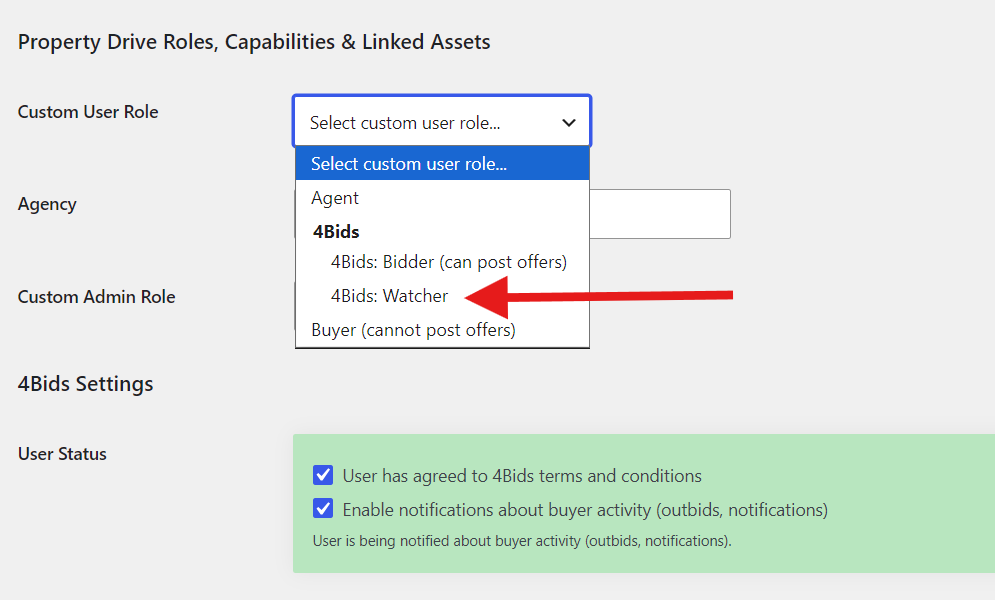
- Find the Custom User Role dropdown (WP Property Drive role field).
- Set the custom role to Watcher.
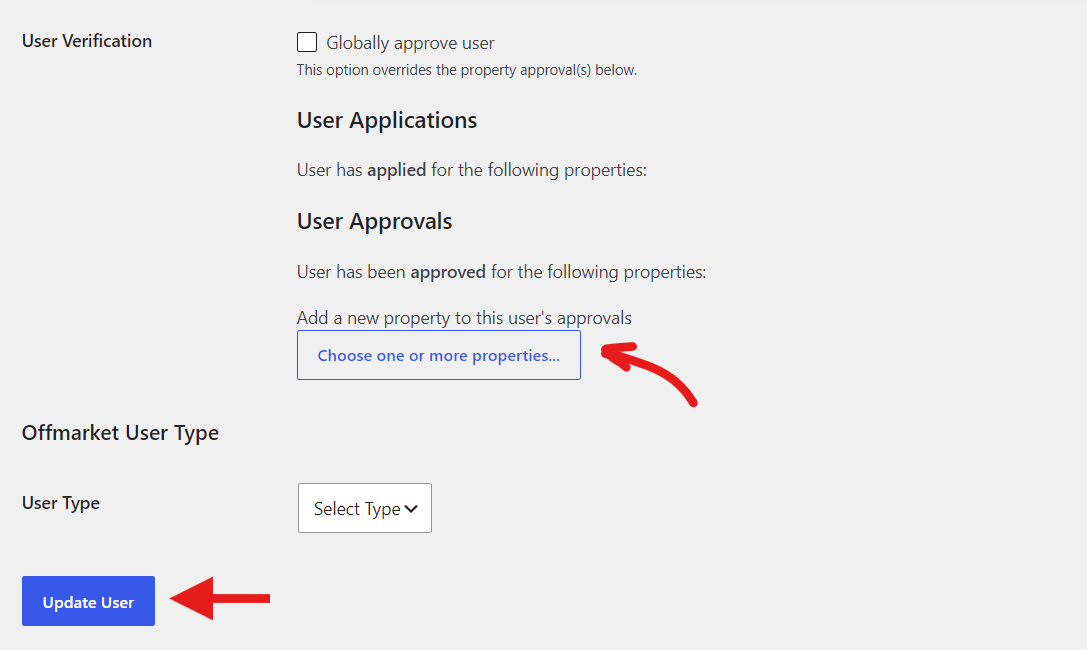
- Find the User Approvals section.
- Choose one or more properties to verify the user.
- Click Update User.
Important:
- Keep the normal WordPress role as needed by your setup (Author).
- The custom role controls watch/bid behavior in your plugin flow.
Step 3: User watches bidding on the front-end
- Ask the user to log in on the website.
- Ask them to open the property page.
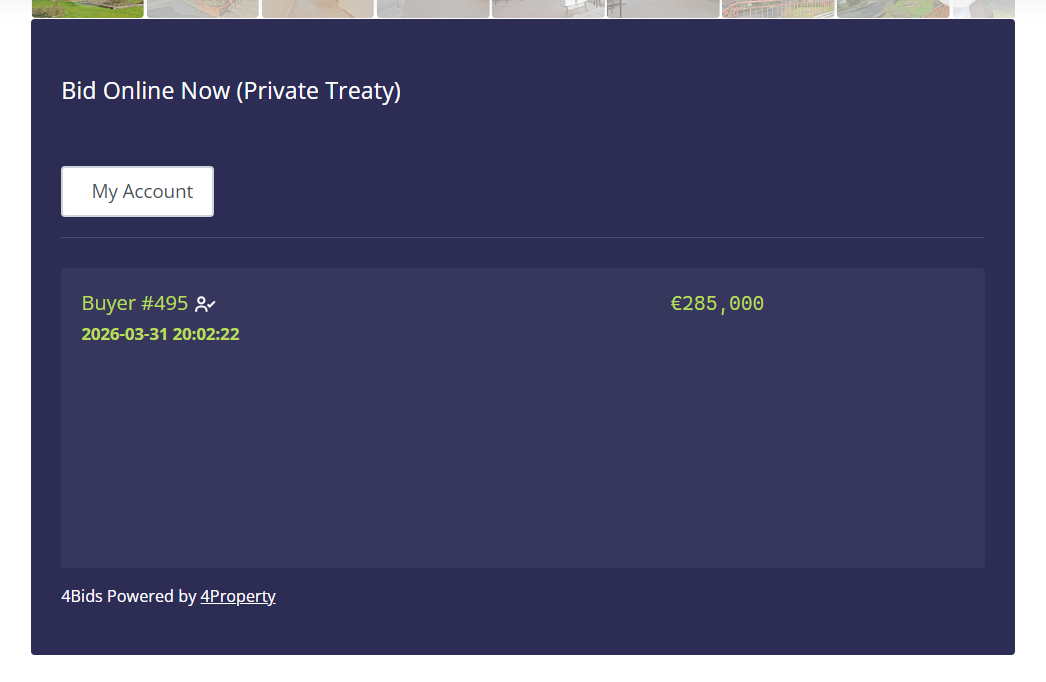
- They should now see live bidding updates.
- They should not see active bidding controls (no bid submission access).
Quick test checklist (admin)
- ✅ User can log in
- ✅ User role is Author
- ✅ Custom user role is Watcher
- ✅ User verified on the correct property
- ✅ Property is open for bidding
- ✅ User can view live bids but cannot place bids
If something is not working
- User cannot see bidding:
- confirm they are logged in
- confirm they are verified on that exact property
- confirm property is actively open for bidding
- User can place bids (should not):
- re-check custom role is Watcher
- re-check any extra permissions or role overrides
- Changes not showing:
- refresh browser and clear site cache/CDN cache if used
Share
Maybe it’s time your estate agent website had a faster frontend!
Using technologies such as WordPress, Lighthouse, Persistent Object Caching and bleeding-edge server software, it’s now easier than ever!
WordPress Property Drive
A property management plugin for WordPress
Import properties from Property Drive, search, display, filter, sort, and map using our flagship WordPress property plugin.
Import properties seamlessly from Daft, MyHome, Acquaint CRM, Rightmove, and more using our custom feed integrations!
WordPress Lighthouse
A pagespeed optimisation and performance plugin